MIB / Check Services
Three services.
One clearer experience.
Bringing MIB’s vehicle insurance checks together, with a clearer route for every user.
- The client
- Motor Insurers’ Bureau
- My contribution
- Design direction · UX & UI
- The work
- Service optimisation · Three connected journeys
Different needs.
A shared starting point.
MIB’s public-facing vehicle insurance checks had a familiar purpose, but the dated experience was confusing and presented accessibility barriers. People needed a clearer way to understand which service to use and what to do next.
I brought Check Your Vehicle, Check Their Vehicle and Check Their Vehicle for registered users into one service family. A shared entry point explains the different routes, while each journey supports the task and level of access its users need.
The optimisation connects clearer language, consistent interfaces and responsive layouts, using Astralis, the first design system I introduced and designed for MIB.
Explore the Astralis Design System ↗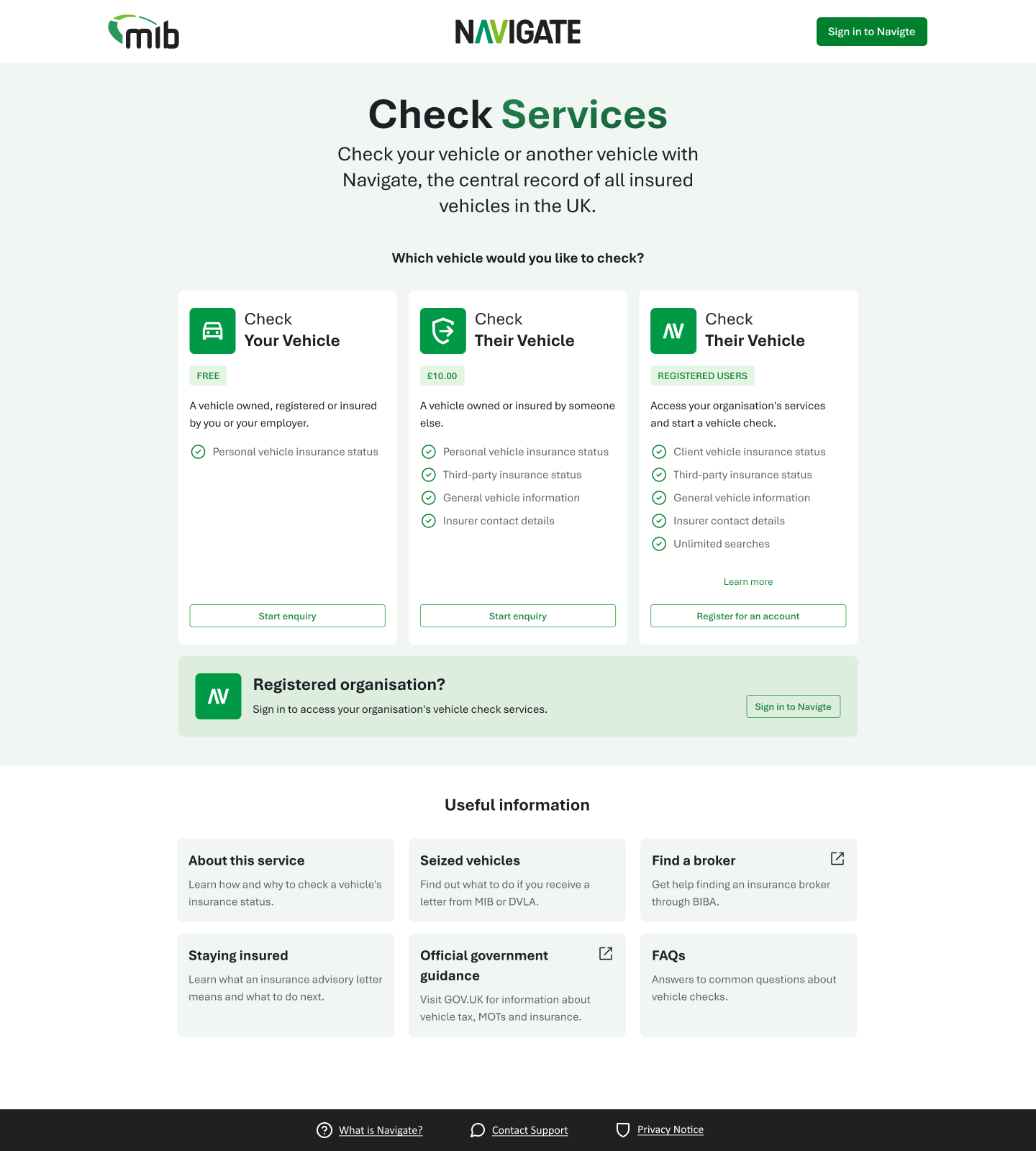
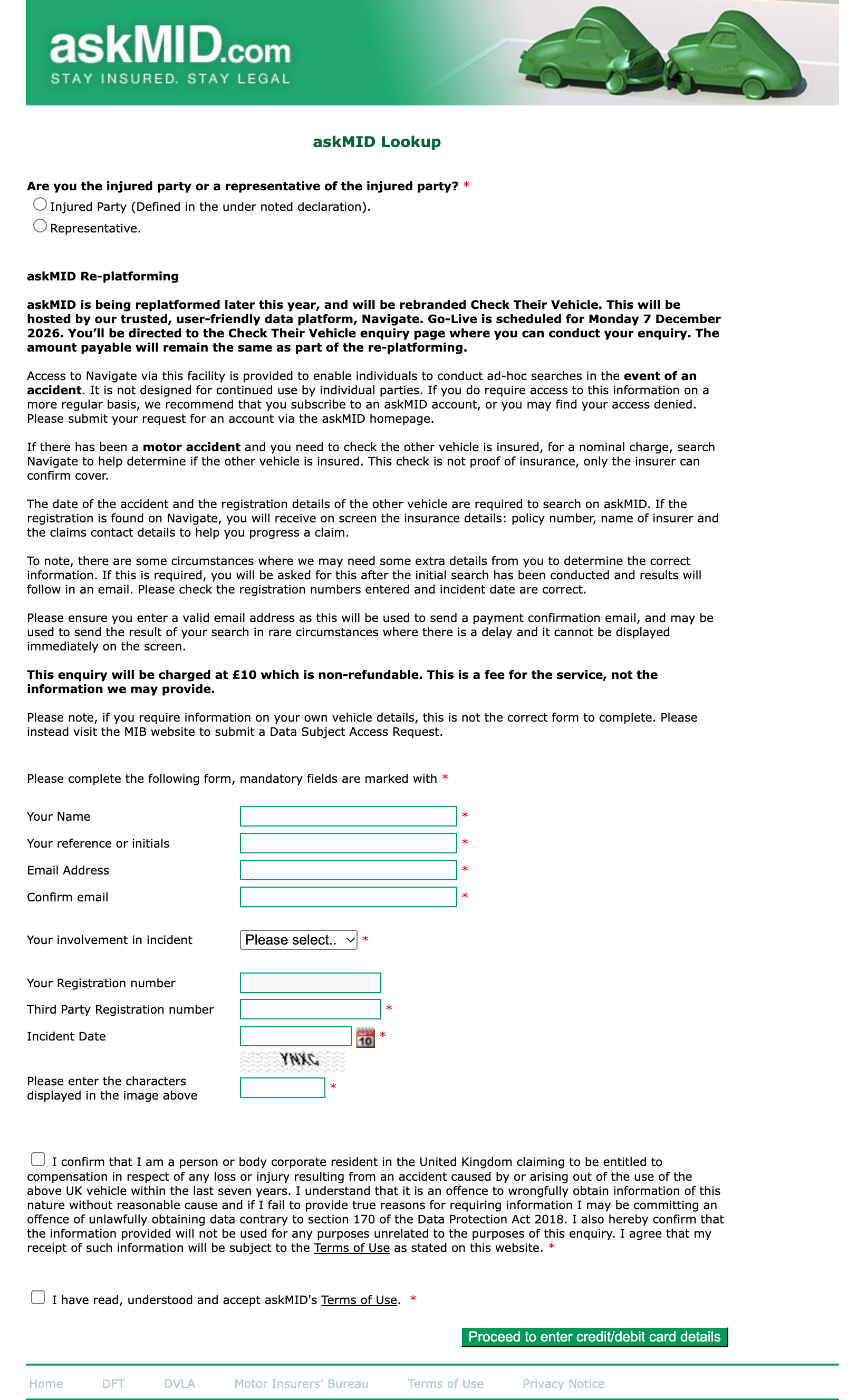
See the previous askMID experience
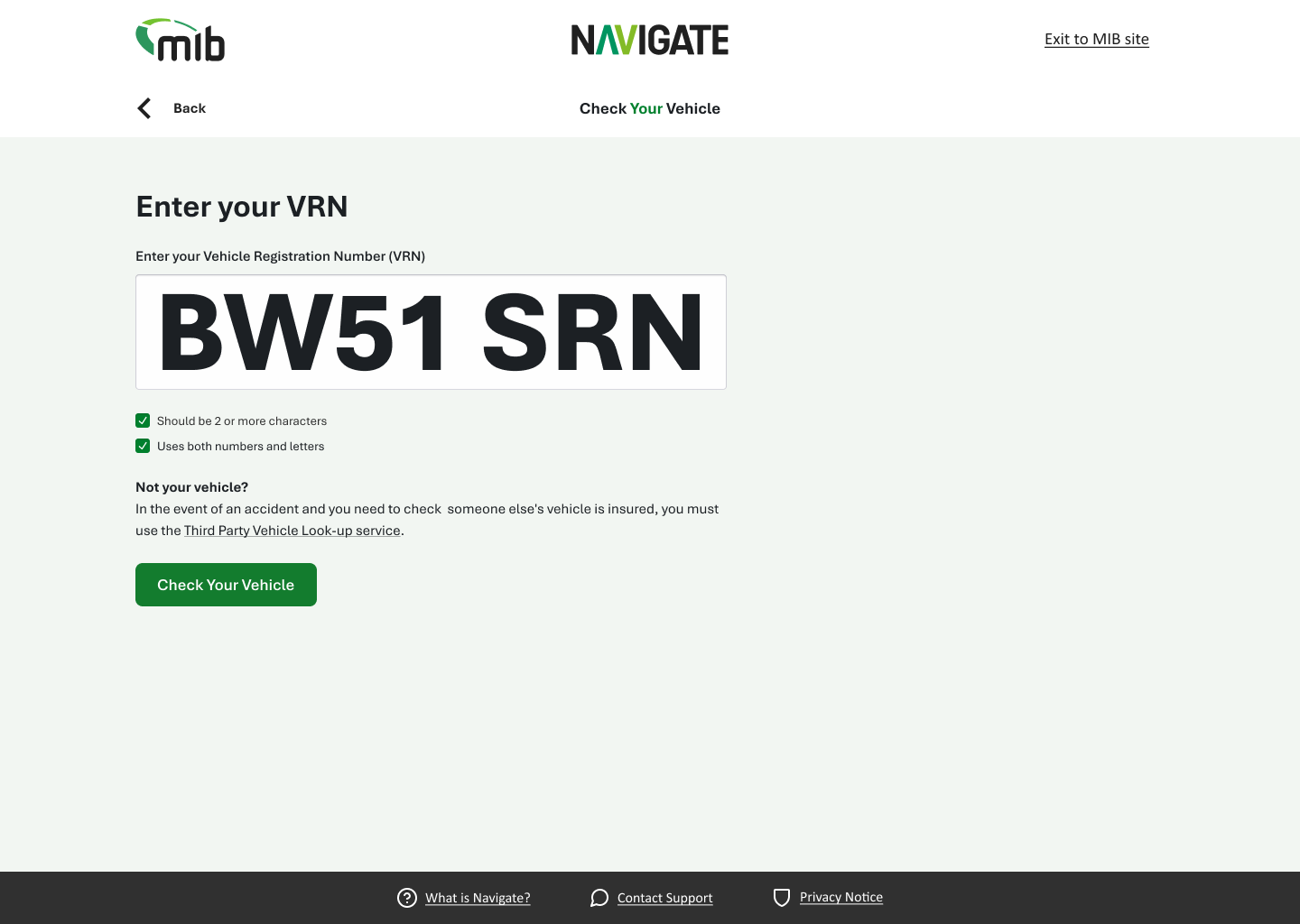
A simple check.
A clear answer.
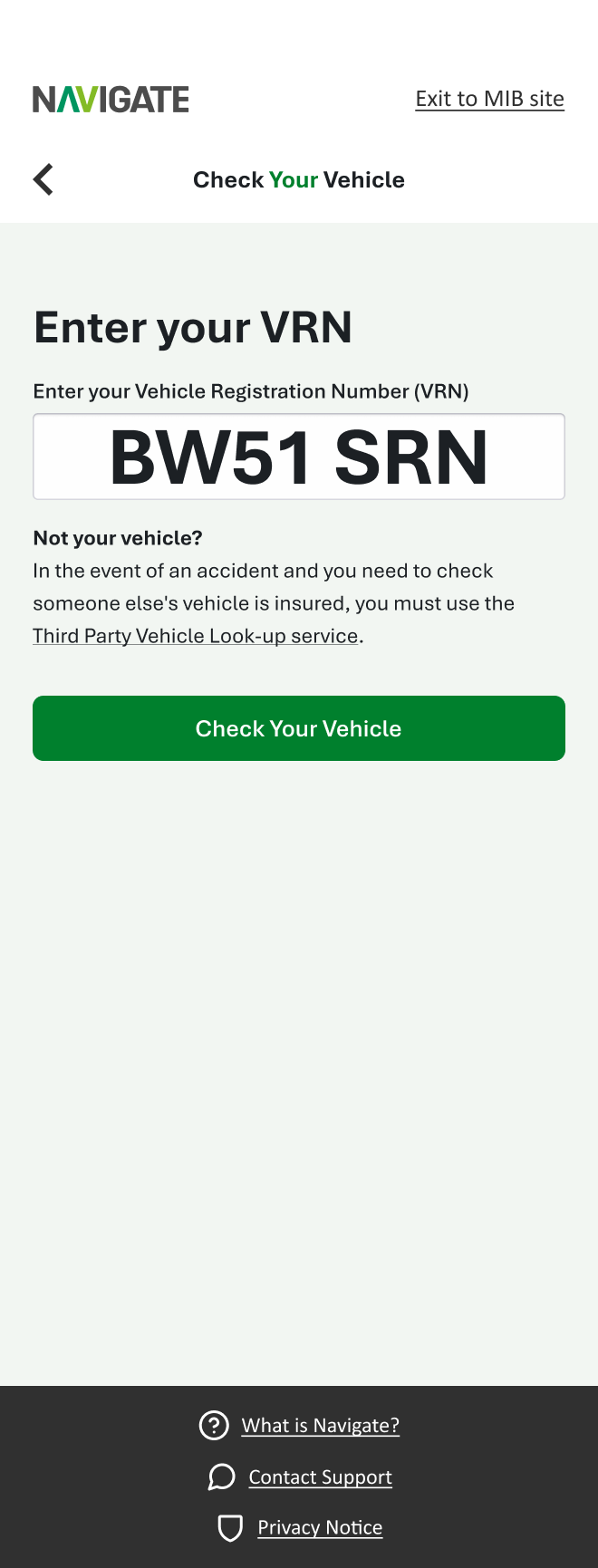
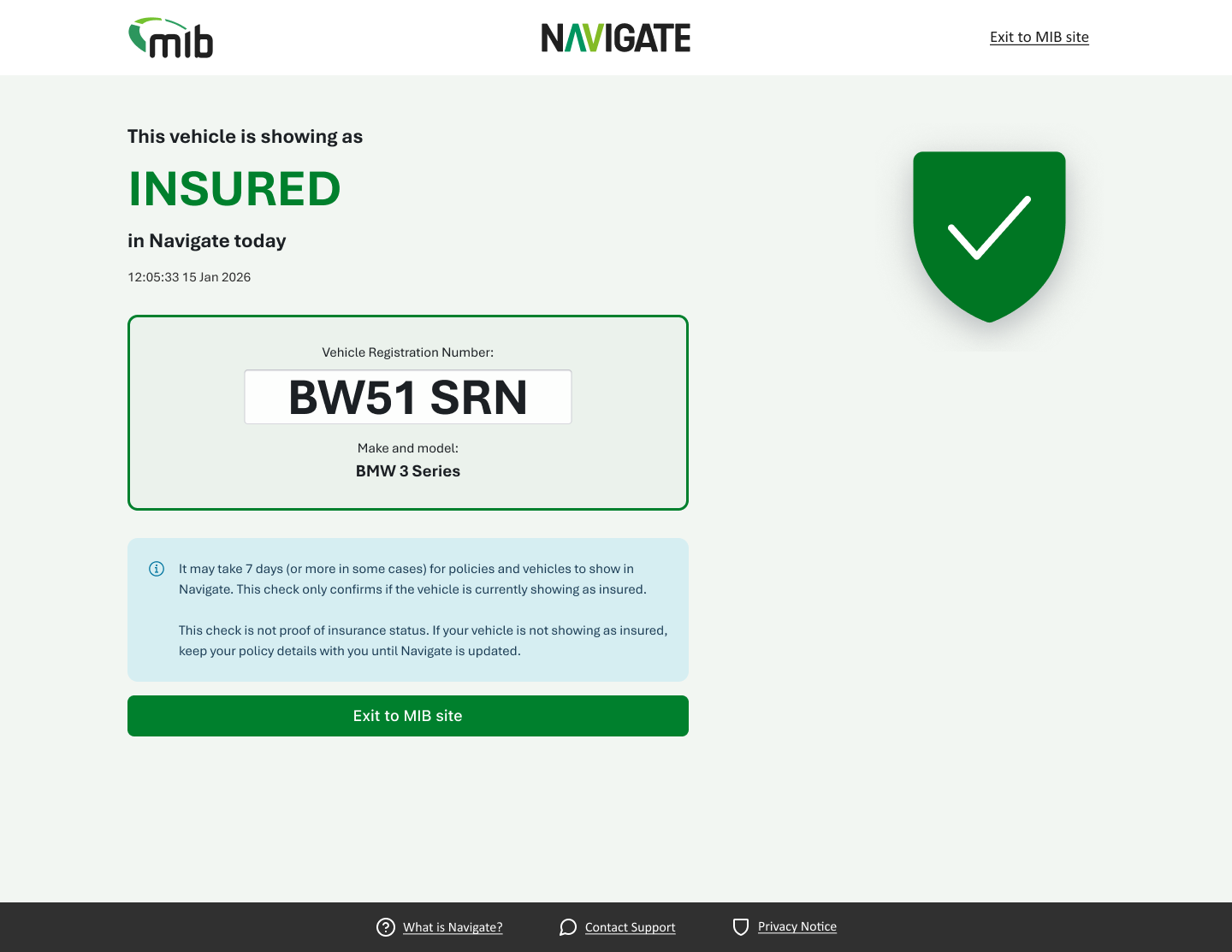
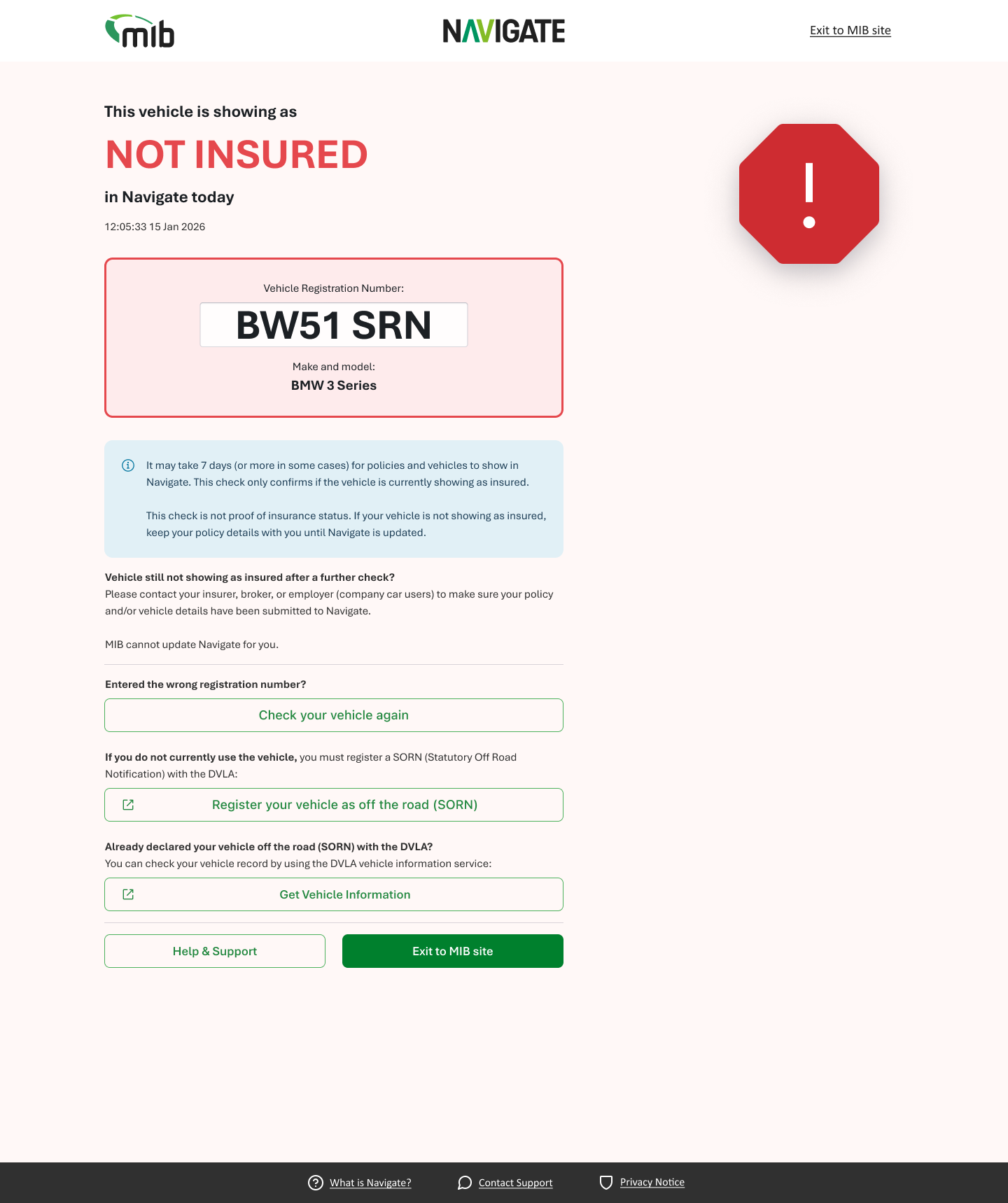
For people checking a vehicle they own, register or insure, the task is straightforward: find out whether it appears as insured. The design guides them through the terms, registration entry and result without making the journey feel more complicated than it needs to be.
Clear result hierarchy distinguishes insured and not-insured outcomes, with supporting guidance and a next step. The same visual language carries through desktop and mobile.
More involved enquiries.
A clearer way through.
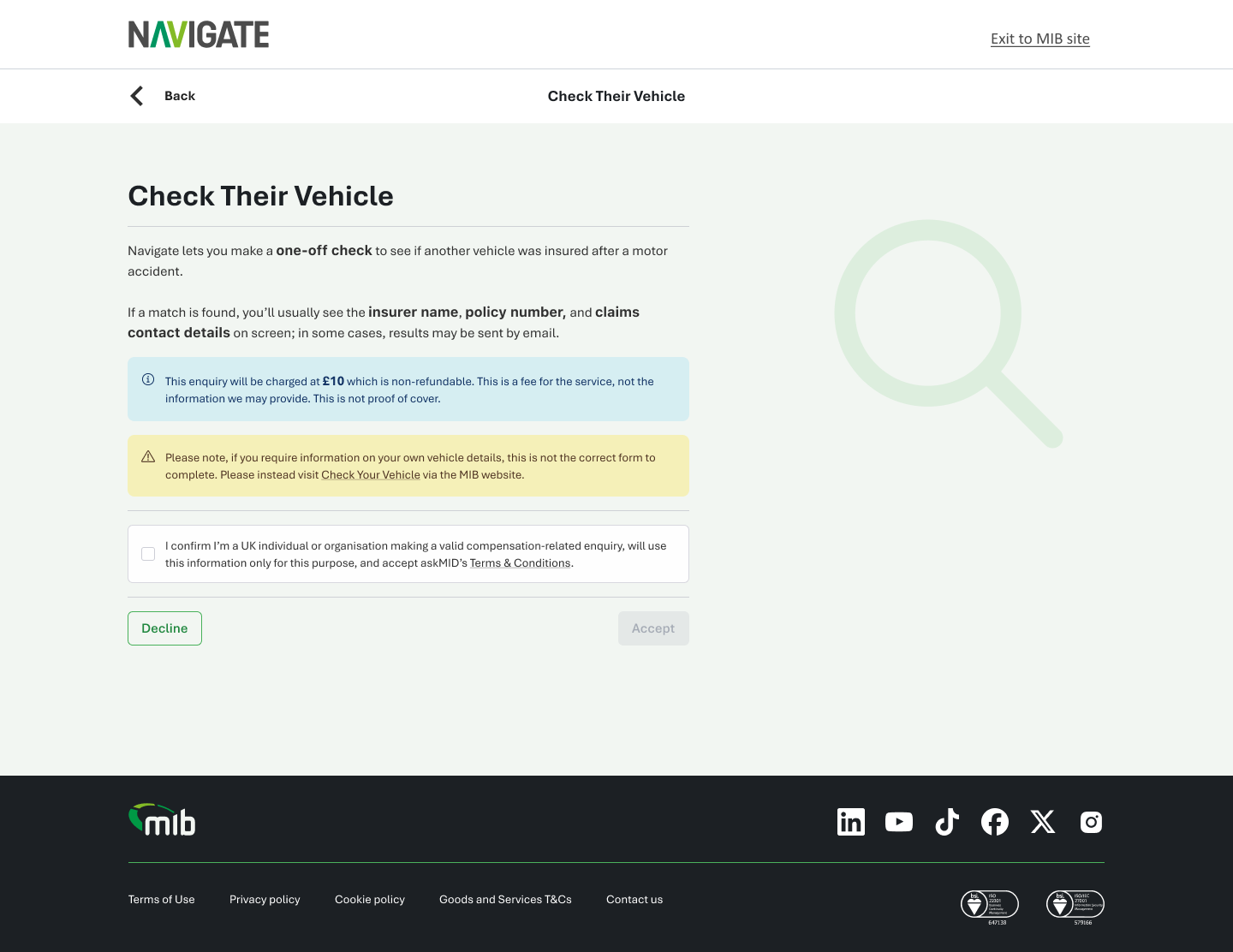
This route supports one-off enquiries about another vehicle, including finding insurer details following an accident. It needs more context than a check on your own vehicle, so the journey explains the requirements and guides users through the information needed for an enquiry.
I used the same shared foundations while giving this service its own appropriate flow. The demonstration below shows the journey in motion.
Built for repeat use.
Connected through Navigate.
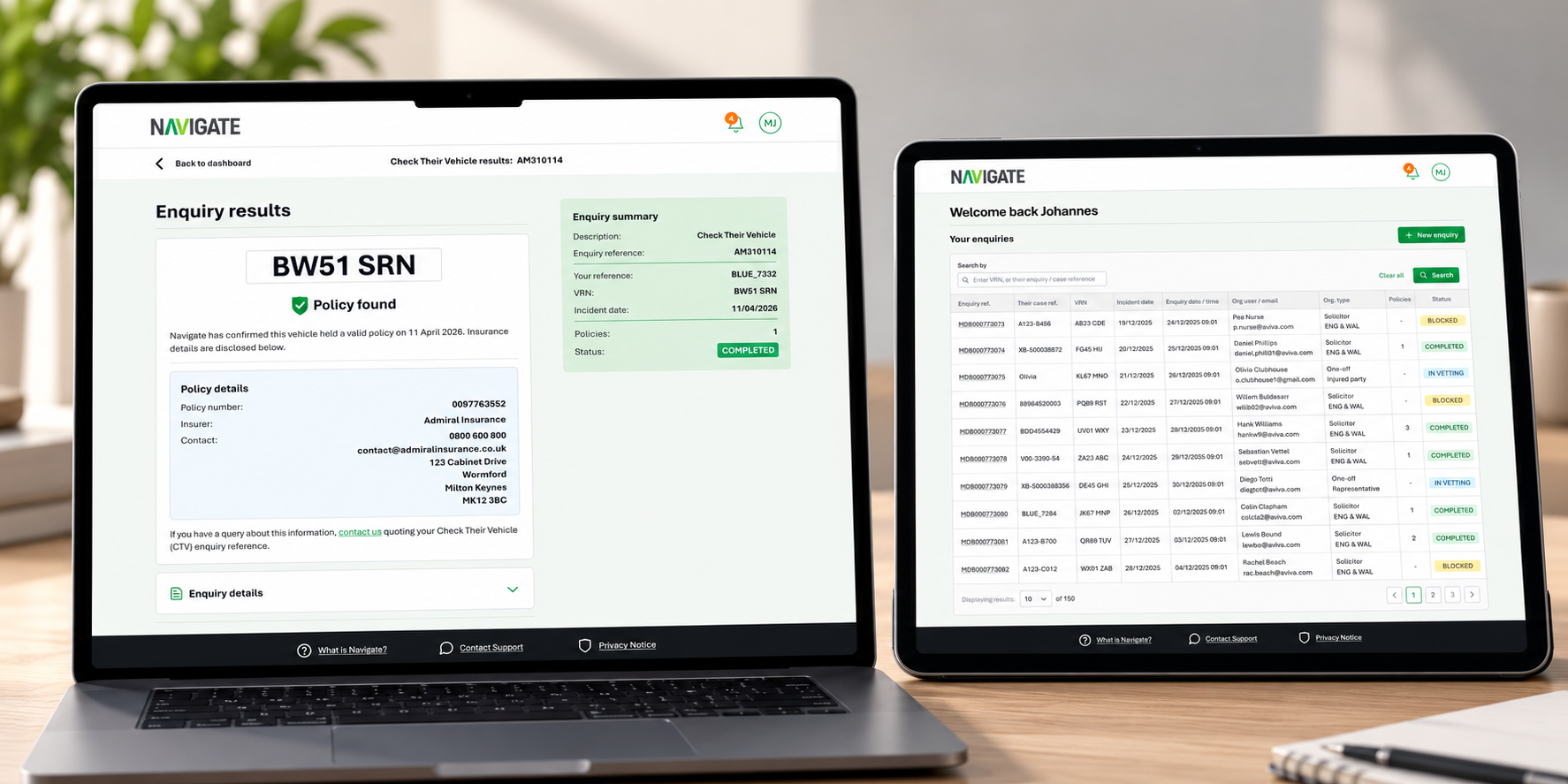
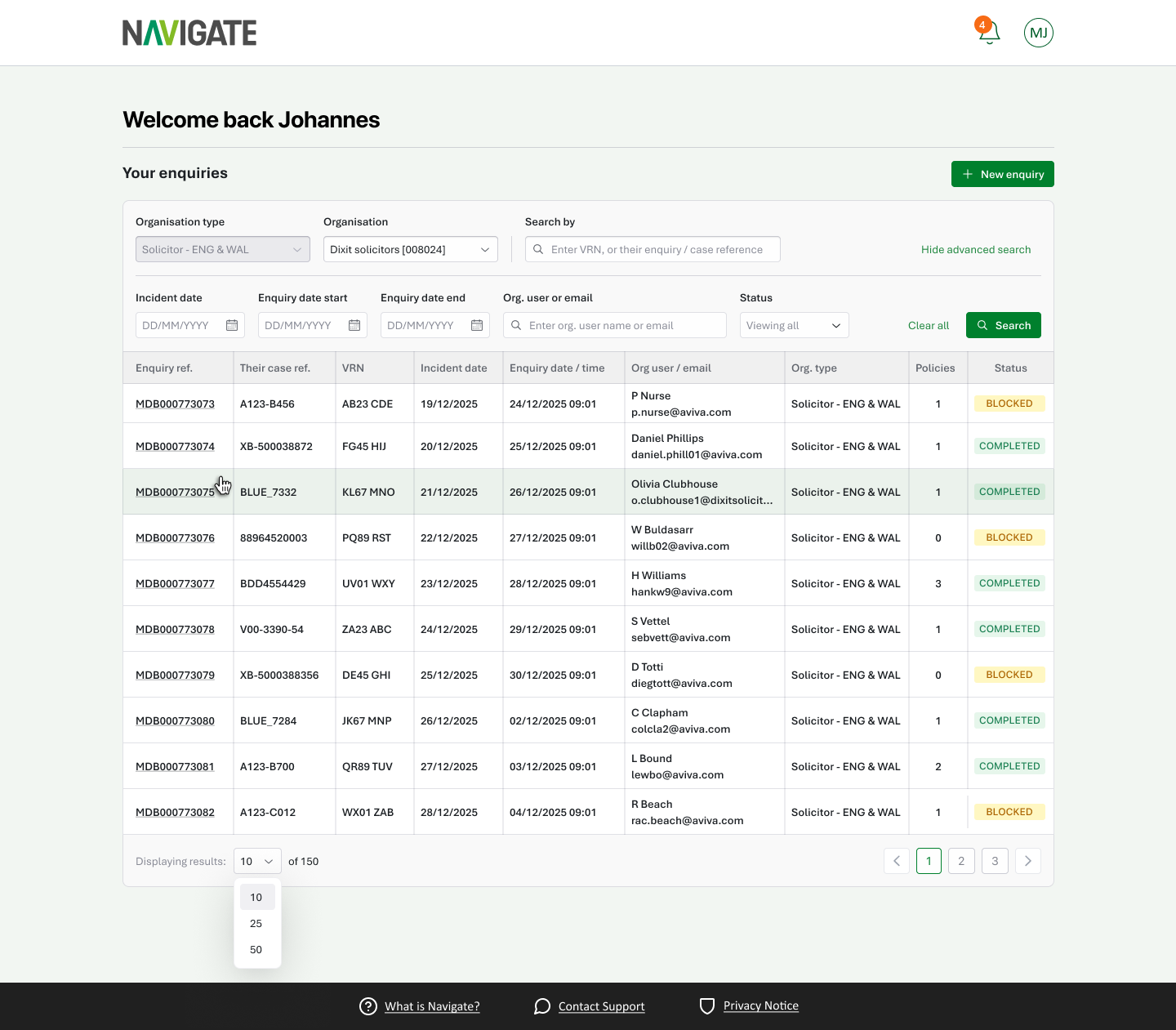
Registered users need to manage more than a single check. This service brings organisation enquiries into Navigate, with a dashboard for finding enquiries, reviewing their status and returning to the details.
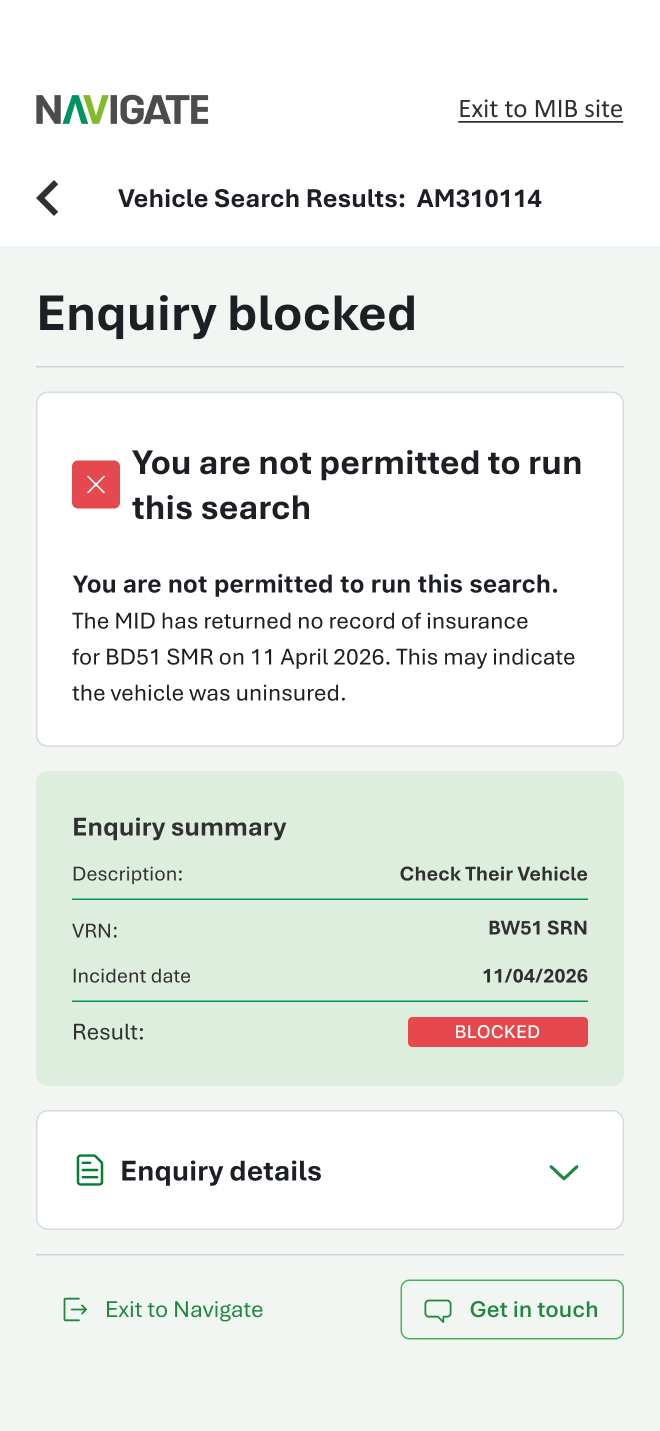
The experience connects the enquiry journey with its result and history, helping users move between an overview and an individual record. Responsive screens support the same service on smaller devices.
Three journeys.
One design language.
Astralis gives the three optimised services consistent typography, colour, controls and interface patterns. Building on the same foundations helps the services feel connected while allowing each journey to respond to its users’ needs.
The design system is a separate story: why MIB needed it, how I made the case for it and how it supports the service work.
Read the Astralis case study ↗