Foundations
Colour, typography and visual style.
MIB / Astralis Design System
I introduced and designed MIB’s first design system, bringing a shared visual language to a growing family of services.
A shared language.
A stronger starting point.
Clear hierarchy.
Consistent rhythm.
01 / The starting point
MIB’s services had developed different interfaces and ways of working. Inconsistent design, workflows and messaging made the experience feel disjointed. Bespoke solutions also meant the same design decisions had to be revisited each time a service changed.
I introduced Astralis to give that work a shared foundation. The ambition was to support individual service improvements while making MIB’s wider digital experience more coherent.
Different interfaces. Bespoke solutions. Inconsistent experiences.
A common design language that connects services and supports the next improvement.
02 / Making the case
Designing the library was one part of the task. I also created material to help the business understand why a design system was worth investing in, connecting consistency and reuse with the practical work of maintaining and improving services.
The case was about more than individual screens: it was about creating a stronger starting point for the teams designing them.
View the business-case presentation ↗Colour, typography and visual style.
Reusable controls, variants and states.
Shared foundations applied to real customer tasks.
03 / Colour
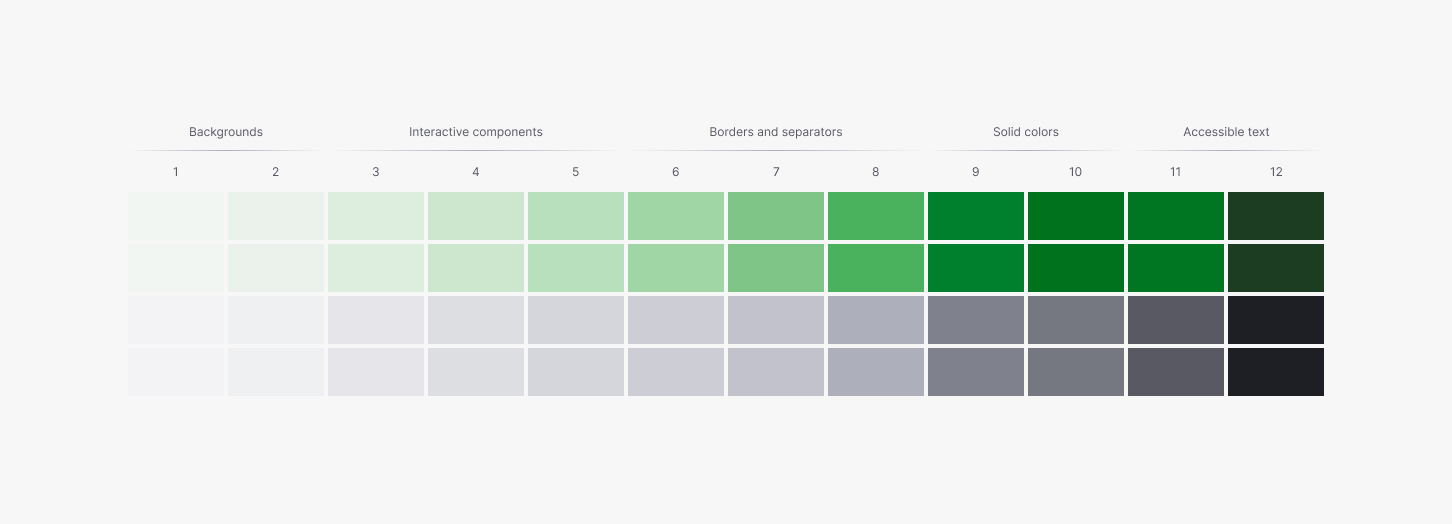
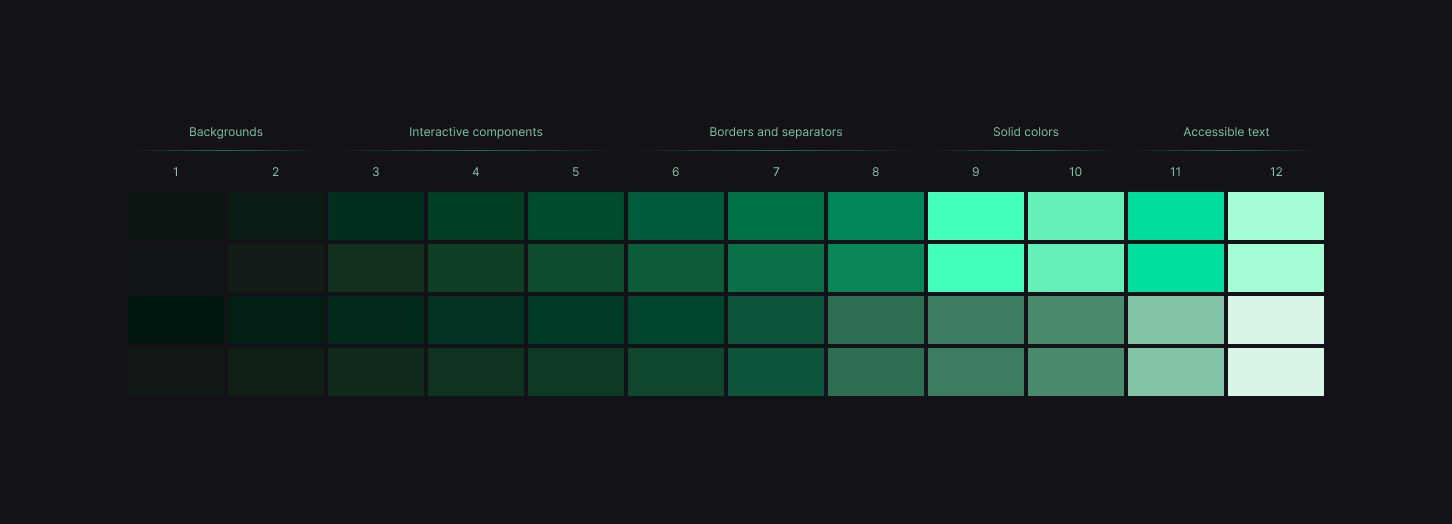
The base library separates accent, neutral and semantic colours. Its colour scales group values by their role, from backgrounds and interactive components to borders, solid fills and text.
That gives colour a purpose within the interface. The same structure extends into light and dark schemes, with the theme variables providing a shared place to configure the visual language.
04 / Typography
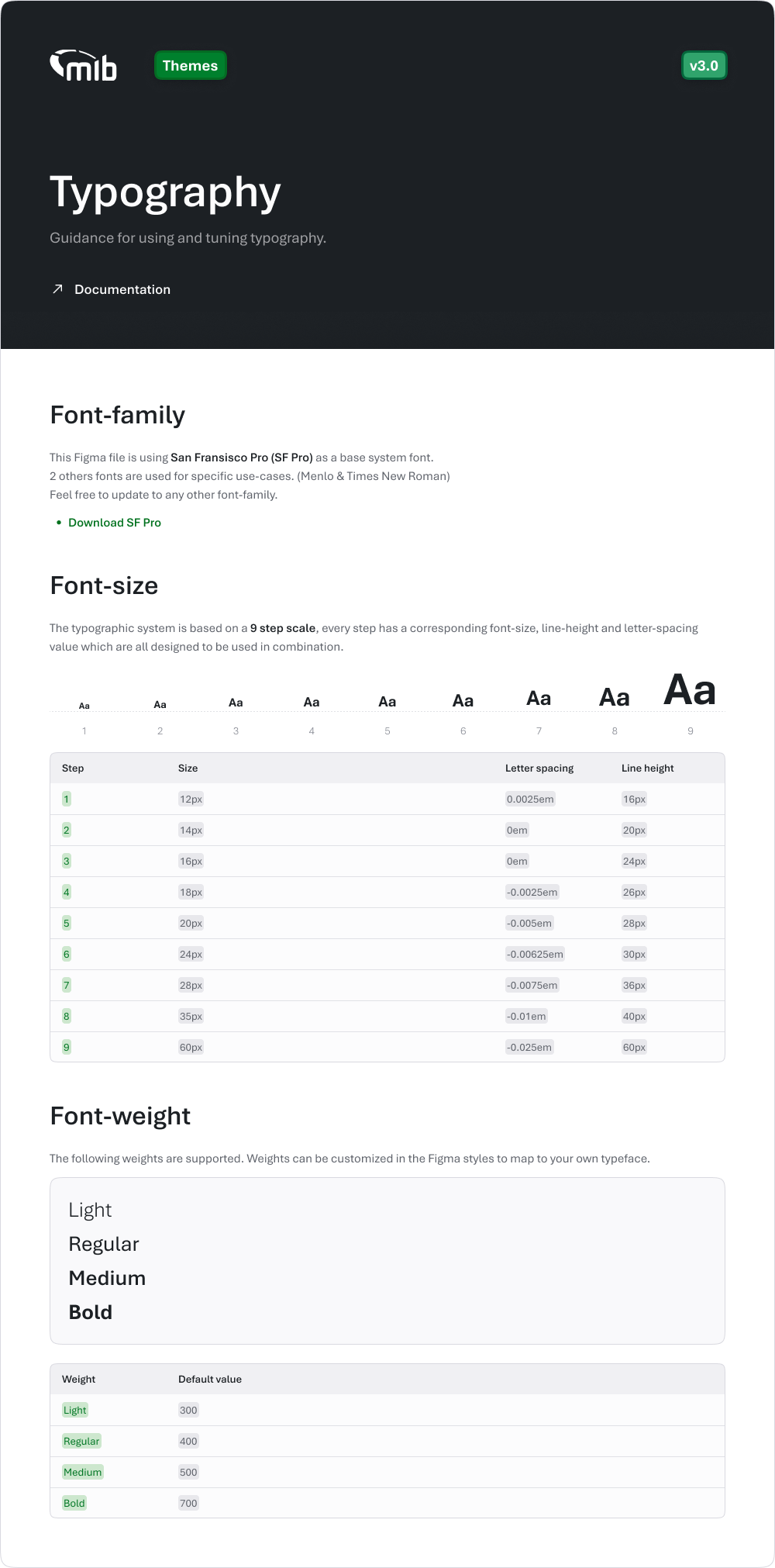
The typography foundations pair font size with line height and letter spacing, rather than treating each setting in isolation. A nine-step scale creates a consistent hierarchy, supported by light, regular, medium and bold weights.
These shared decisions give different services a common rhythm, from a short field label to a page heading or a longer piece of guidance.
One hierarchy.
Many different tasks.
05 / Components
Astralis brings common interface building blocks into one place. The library includes buttons, text fields, selection controls, navigation, feedback and data-display components.
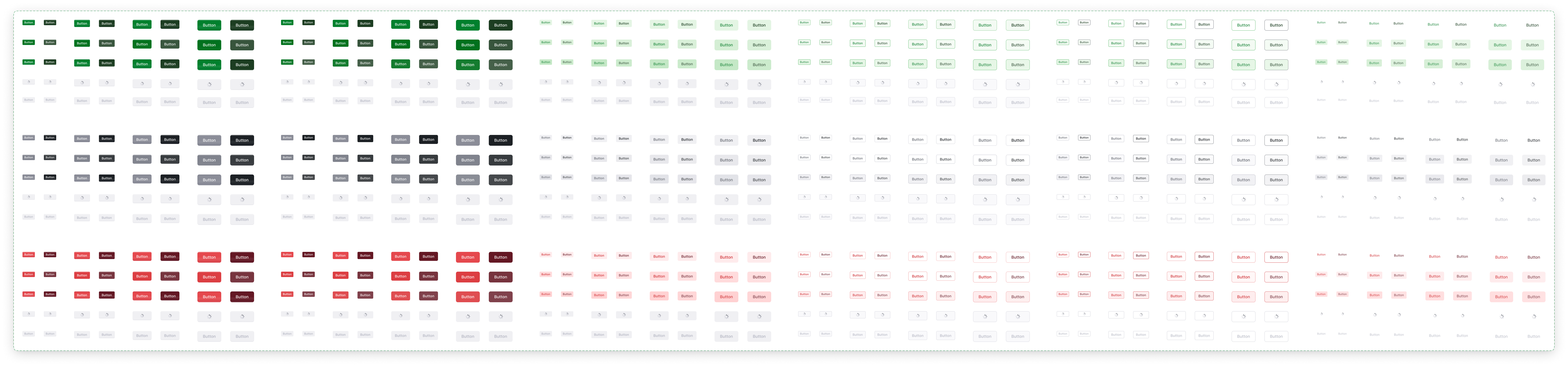
Component properties make the variations explicit. Buttons, for example, have sizes, visual variants, colour roles, icon options and loading states. Those choices allow a shared component to support different tasks without starting again each time.
06 / Interaction and guidance
The system defines more than how a control looks before someone uses it. Button properties include default, hover, active and disabled states, alongside focus-ring and loading options.
The supporting documentation shows how those properties work, with examples in light and dark schemes. It connects the component library to the decisions a designer makes when using it.
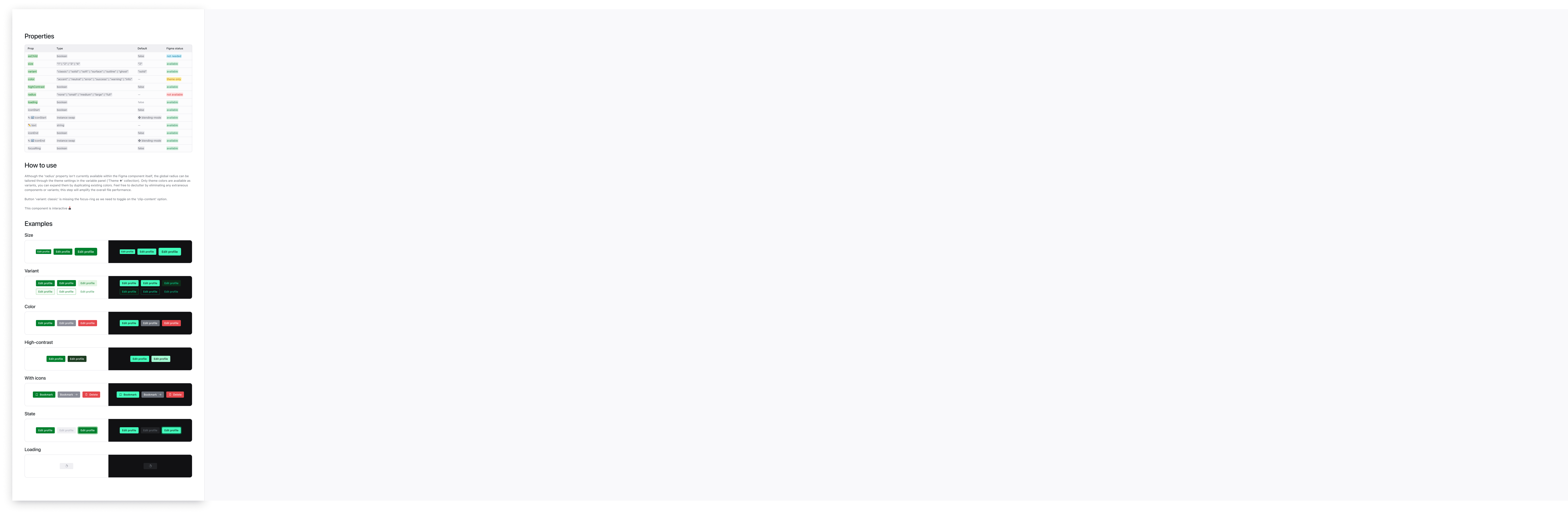
Size. Variant. Colour. Contrast. Icons. State. Loading.
The library brings the available choices and their examples together.
Explore the button library ↗07 / From system to service
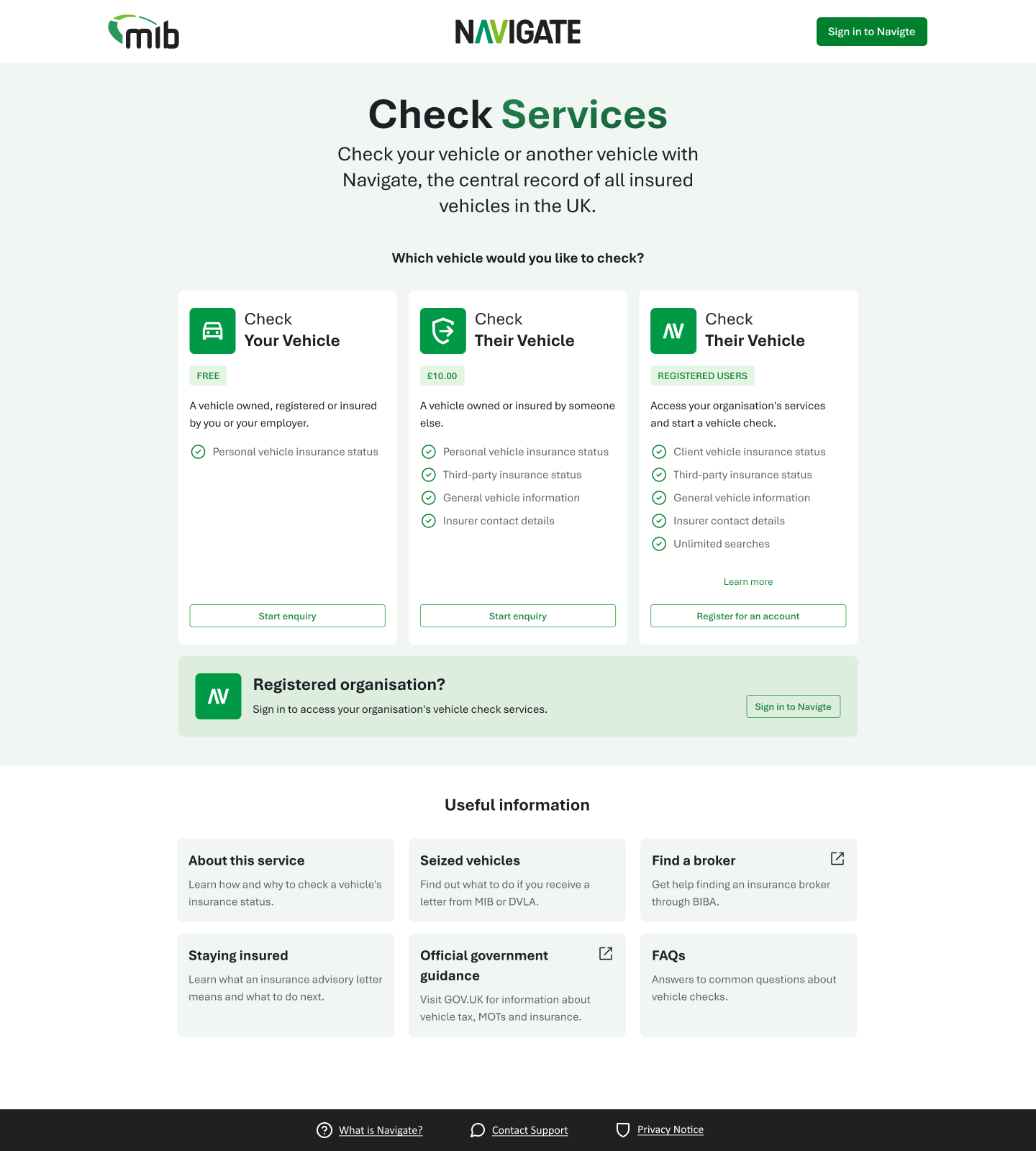
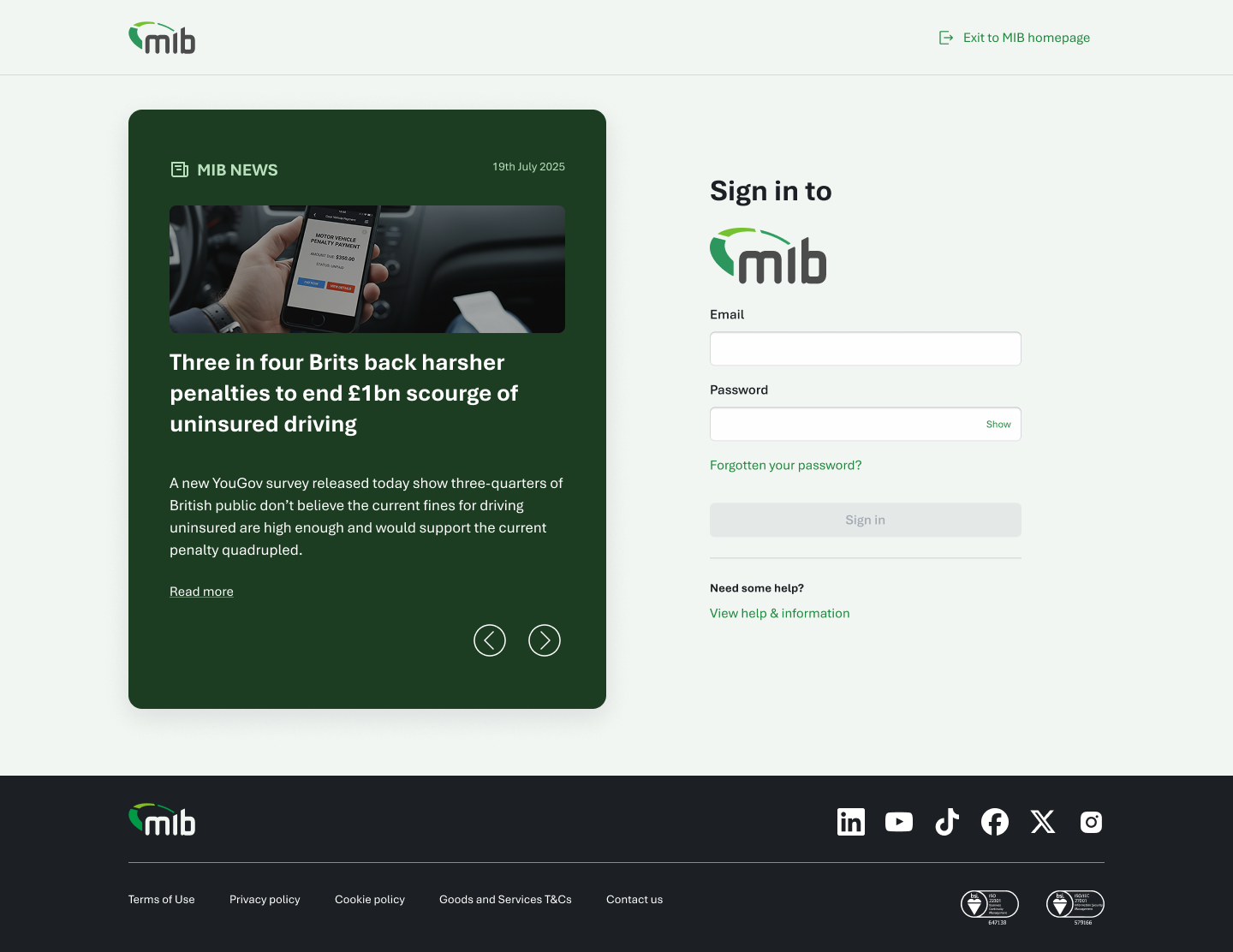
I used Astralis across the Check Services and Okta optimisation work, from choosing a service and entering information to signing in and recovering access.
These projects gave the system real customer journeys to support. Shared typography, colour, controls and hierarchy help connect different tasks into a more consistent family of experiences.
08 / A foundation for what comes next
Astralis established MIB’s first shared design system and gave the optimisation work a common starting point. The value is visible in the relationship between the library and the services: reusable parts supporting clearer customer journeys.
The Check Services case study shows those foundations in use. Vehicle Hub explores the longer-term vision they could help support.
A new role, a project, or just a conversation.
hello@jamesbrewer.design ↗